
 EN
EN
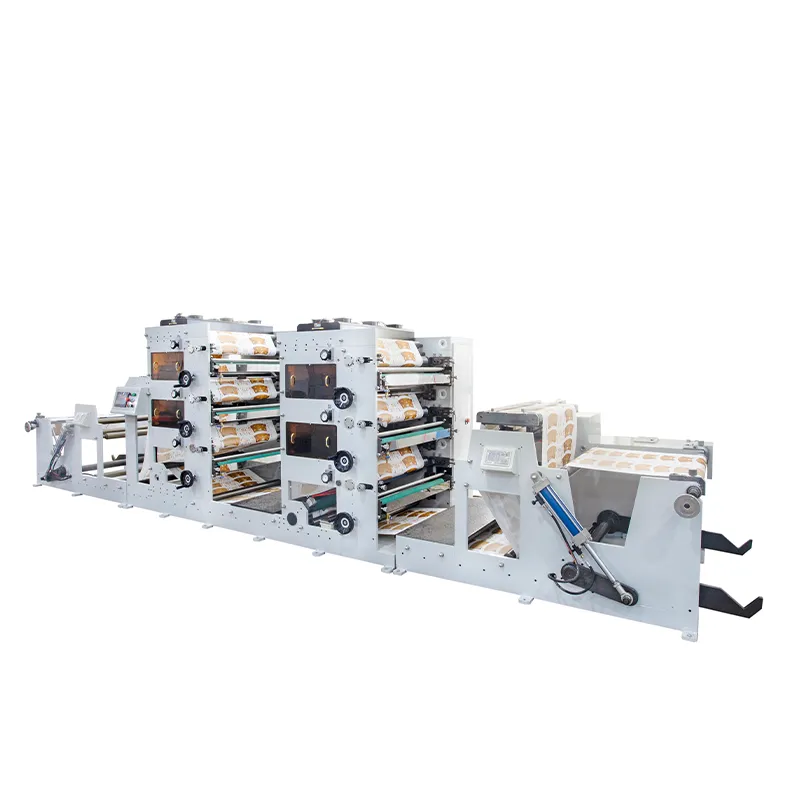
Diagnose Common Root Causes of Ink Smearing in Flexo Printing Machines
When ink keeps smearing on flexo printing machines, it usually comes down to problems with three main components working together: the condition of the anilox roll, how aligned the doctor blade is, and whether the substrate matches properly. According to industry reports, around two thirds of all smearing issues actually come from problems in one or more of these areas. That's why getting accurate diagnosis matters so much for print shops trying to cut down on wasted materials, costly reprints, and those frustrating production stoppages that nobody wants to deal with during busy periods.
Anilox Roll Contamination and Wear Patterns
Contaminated or worn anilox rolls compromise consistent ink metering. Particulate buildup (e.g., dried ink, dust) can reduce cell volume by 15–30%, while uneven wear introduces hydraulic pressure imbalances across the roll surface. Telltale signs include:
- Streaked prints repeating at intervals matching the anilox circumference
- Visible cell damage or plugging under 200x magnification
- Surface energy drops below 38 mN/m on ceramic anilox rolls
Ultrasonic cleaning removes embedded residue effectively, and annual volume verification—using gravimetric or optical cell measurement—ensures continued accuracy. Avoid abrasive cleaning methods that accelerate wear.
Doctor Blade Misalignment and Edge Chatter
Blade angle and pressure directly govern ink containment. Angles below 30° or pressures exceeding 2.5 bar induce hydrodynamic lifting, forcing ink beneath the blade edge. This results in:
- Fine parallel “chatter marks” aligned with print direction
- Ink pooling along plate edges
- Blade tip temperatures rising above 50°C due to friction
Optimal setup calls for a 30–35° blade angle and 1.8–2.2 bar pressure. Replace blades every 80–120 production hours—or sooner if chatter or inconsistent wiping appears—to sustain clean ink removal.
Substrate Moisture and Surface Energy Mismatches
Substrates with moisture content >5.5% or surface energy differentials >8 dynes/cm² impede ink adhesion and promote smearing. Verify conditions using:
- IR moisture sensors for real-time paper/board monitoring
- Dyne pens to confirm surface receptivity ≥40 mN/m
- Cobb tests to quantify water absorption rates
Pre-treat non-porous films with corona or plasma discharge to raise surface energy. Maintain ambient humidity between 50–60% RH to stabilize substrate behavior and minimize dimensional shift during printing.
Optimize Ink and Drying Parameters for Reliable Flexo Printing Machine Performance
Viscosity–pH–solvent Balance for Fast-Drying Flexo Inks
Getting fast drying flexo inks right means keeping things pretty controlled. The ideal viscosity range is around 20 to 35 seconds on a Zahn number 4 cup, and pH levels should stay somewhere between 8.2 and 9.5. When these parameters get out of whack, problems start popping up like separated pigments, bad flow characteristics, or ink that just won't dry properly. All of this leads to higher chances of smearing when materials are being rewound or converted later on. According to data from the Ponemon Institute back in 2023, facilities that invested in real time viscometers along with automated solvent dosing systems saw their smearing costs drop by about $740,000 per year. These kinds of monitoring tools really help keep everything consistent even when conditions change throughout the day or different operators handle the equipment.
UV-LED vs. Hot-Air Drying: Impact on Smearing Thresholds in Flexo Printing Machines
Traditional hot air drying methods come with serious speed restrictions usually between 150 and 300 meters per minute because going faster tends to smear wet ink layers all over the place. The newer UV LED curing technology changes this game completely though. It actually shortens drying times by around two thirds which means machines can run smoothly at speeds approaching 500 meters per minute when working with films or foil substrates. What makes UV LED so effective? For starters, it operates at much lower energy densities below 40 watts per square centimeter. Plus there's that handy instant on and off feature that saves energy, plus very little infrared radiation gets emitted during operation. These characteristics work together to minimize those pesky heat related distortions in materials, something absolutely vital when dealing with delicate thin substrates that easily warp under high temperatures.
Calibrate Critical Mechanical Settings on Your Flexo Printing Machine
Impression Pressure and Nip Width Tolerances (±0.05 mm)
Getting the right impression pressure means finding that sweet spot between transferring all the ink properly and avoiding plate distortion issues. When there's too much pressure applied, ink tends to bleed outside where it shouldn't go. Not enough pressure leads to problems like mottled prints and areas where the ink just doesn't cover completely. The nip width needs to stay pretty tight around 0.05 mm either way when measured with those digital micrometers we use these days. And don't forget to check this setting every hour because temperature changes really affect things. We've seen settings drift by about 0.03 mm for each 10 degree Celsius shift in room temperature. Keeping the nip geometry consistent throughout the run makes sure everything touches the substrate evenly without warping those photopolymer plates or squishing softer materials under pressure.
Cylinder Parallelism and Gear Mesh Synchronization
When impression or plate cylinders aren't perfectly parallel, they create pressure hotspots that end up smearing wet ink across the print surface. To check this out properly, technicians need to look at dial indicator readings and make sure we're seeing no more than 0.0005 inches of total indicator runout. If gear backlash goes over 0.1 degrees, problems start happening fast during those high speed print runs. The result? Registration drift and annoying vibrations that mess with ink film stability throughout the process. Laser alignment work needs to happen every three months or so, and any gears showing pits should go straight into the scrap pile. Getting those gears to mesh correctly makes a real difference too. Studies show synchronized gear mesh cuts down on operational vibrations by around 40%, which means cleaner prints without all that frustrating smearing issue most operators dread.
Validate and Sustain Smear-Free Output with Real-Time Monitoring
Real time monitoring changes how we deal with problems from something reactive to something we can actually control ahead of time. The system has built in sensors that keep an eye on things like ink thickness, how hot the drying area gets, what's happening with the material being printed on, and even the humidity around the press all every half second or so. These sensors catch any issues way before they become actual defects on the product. Take paper moisture content as an example. If it goes over 5.5%, the system sends out an alert. Same thing happens if the temperature in the drying zone drops below or rises above where it should be. This kind of feedback loop cuts down waste by about 30% compared to just checking things manually. Plus, colors stay within those tight ISO 12647-6 standards throughout production. We also get warnings about problems developing in parts like anilox rollers or printing blades well before they break down completely. That means maintenance work can happen right when there's downtime between jobs instead of forcing everyone to stop everything mid run. As conditions change with different materials or weather fluctuations, the whole system keeps adjusting itself so print quality stays consistently good without smears, no matter how long the print run lasts or what mix of products are going through the line.